SEO change monitoring
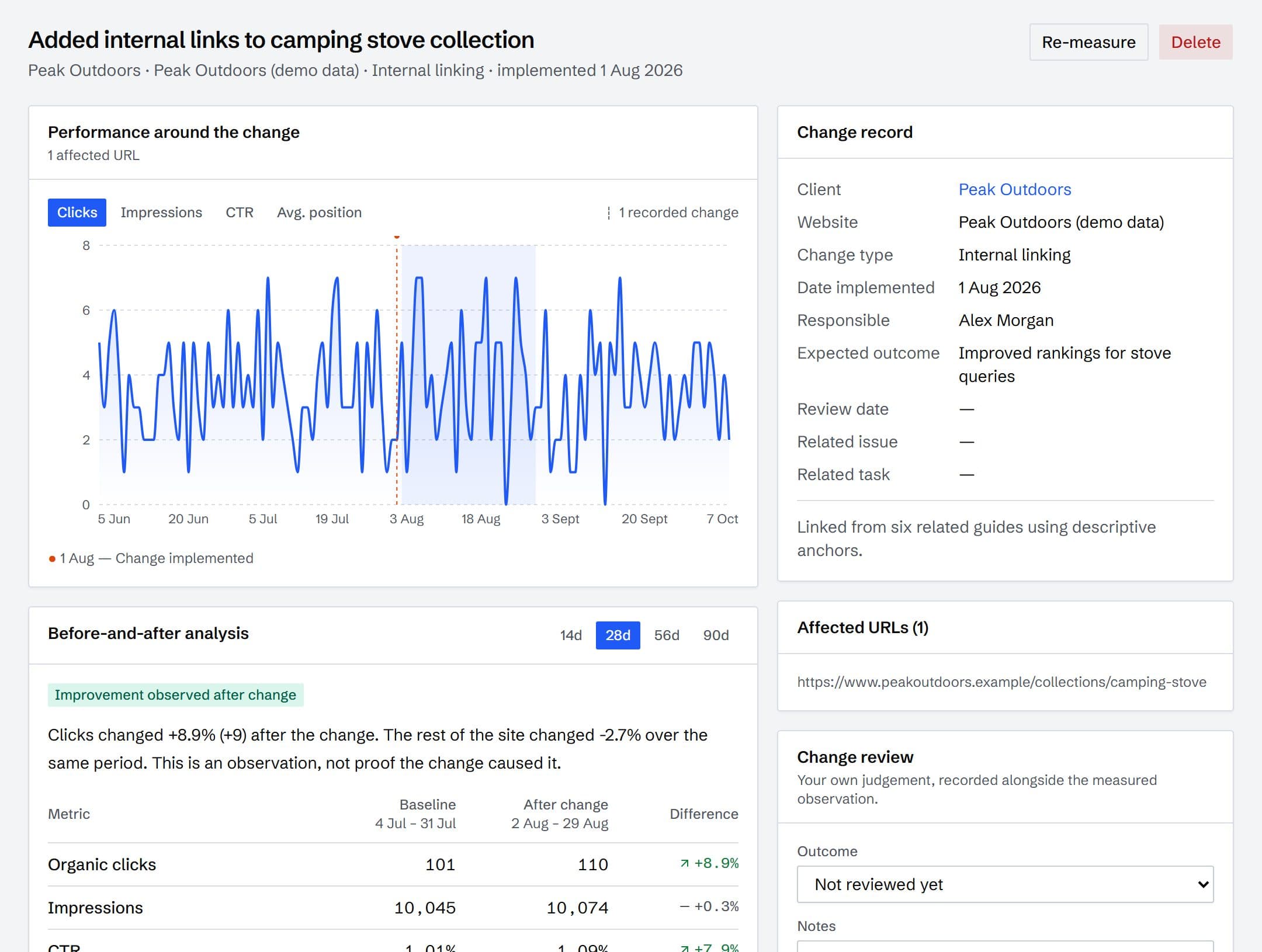
A timeline of every SEO change against the performance chart, with a before-and-after measurement for each one.
The problem for agencies
Three months on, nobody remembers which titles were rewritten in March. Without a record, good work cannot be shown and bad changes cannot be traced.
SEO Change Monitoring: what you get
A quick change log
Record a change in seconds, or have it created automatically when a task is completed. Each record holds the URLs, type, date, owner, expected outcome and review date.
Detected changes you approve
Crawl snapshots are compared to spot changes to titles, meta descriptions, canonicals, robots directives, status codes and internal links. They are proposed for review and never attributed to you automatically.
Before-and-after figures, worded carefully
Clicks, impressions, CTR, position and query visibility are compared across configurable windows, alongside the rest of the site and the same period last year. Results are worded as observations, because Search Console data can't prove what caused them.
From detection to a client report
- Record the change (or confirm a detected one).
- Rankwell sets a baseline window from the period before the change.
- As finalised data arrives, the post-change window fills and the comparison updates.
- Mark the change successful, inconclusive or unsuccessful, schedule a follow-up and include it in the report.
Questions about this feature
- What is SEO change monitoring?
- Keeping a dated record of changes made to a site that could affect search performance, and watching what happens to the affected pages afterwards.
- Can it prove a change caused an improvement?
- No tool honestly can from Search Console data alone. Rankwell reports what was observed after the change and shows a control group and last year's pattern so you can judge.
- Which changes can be detected automatically?
- Title tags, meta descriptions, canonical tags, robots directives, HTTP status and internal links on websites you have authorised for crawling.
Related
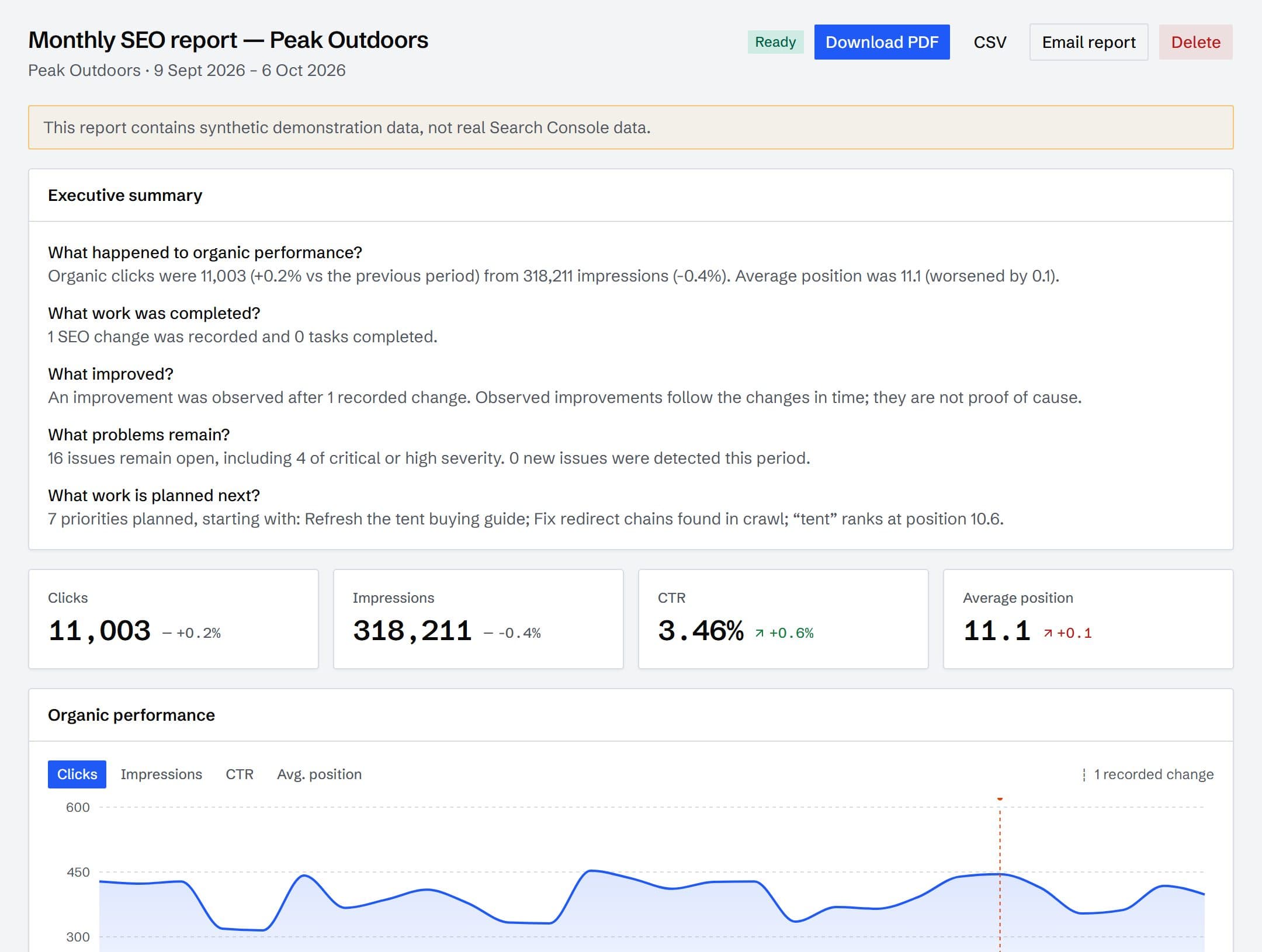 SEO Reporting DashboardReports that answer the five questions clients ask, assembled from data the platform already holds.
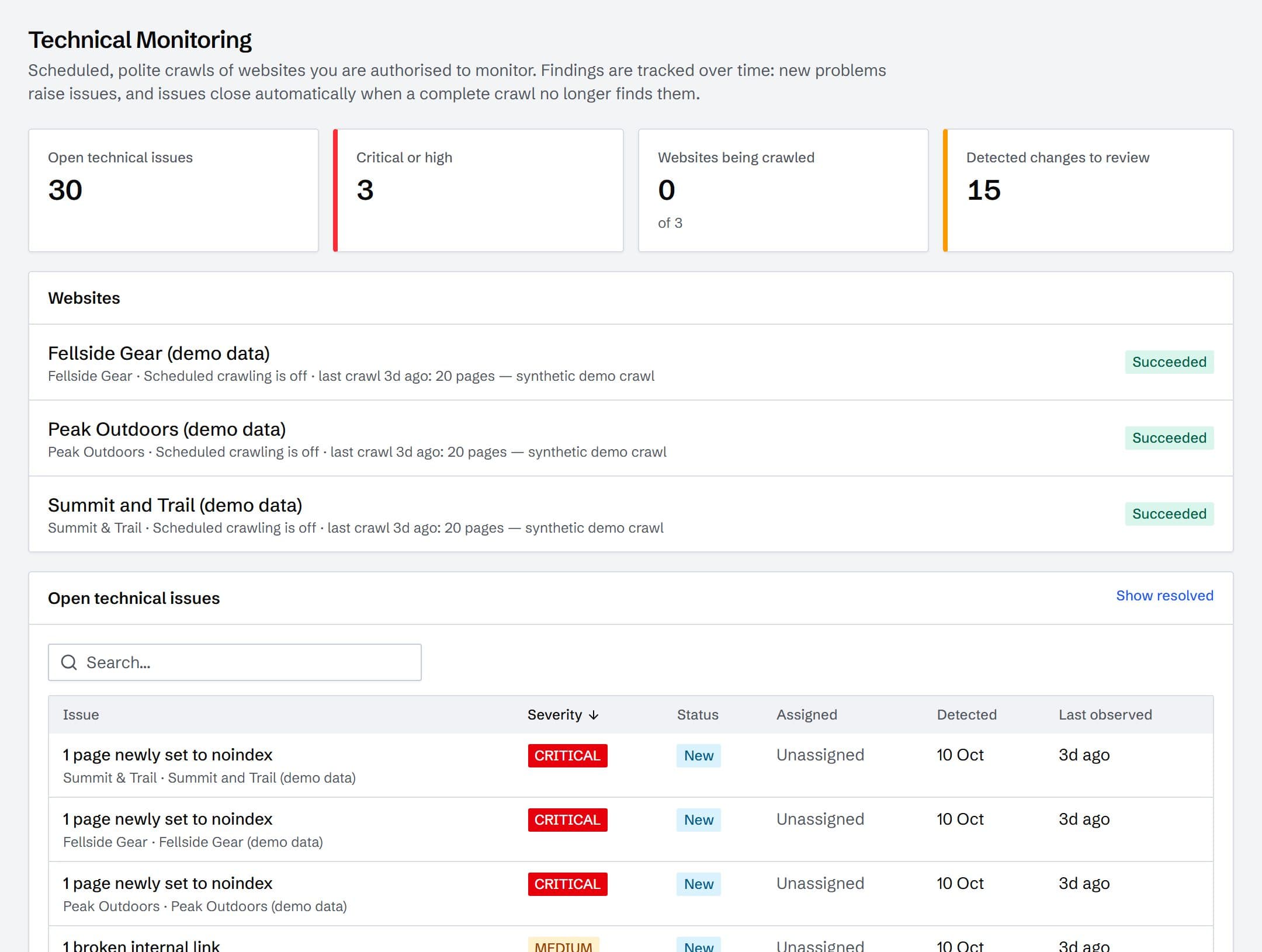 Technical SEO MonitoringA quarterly audit cannot see the noindex tag that went live last Tuesday. Scheduled monitoring can.
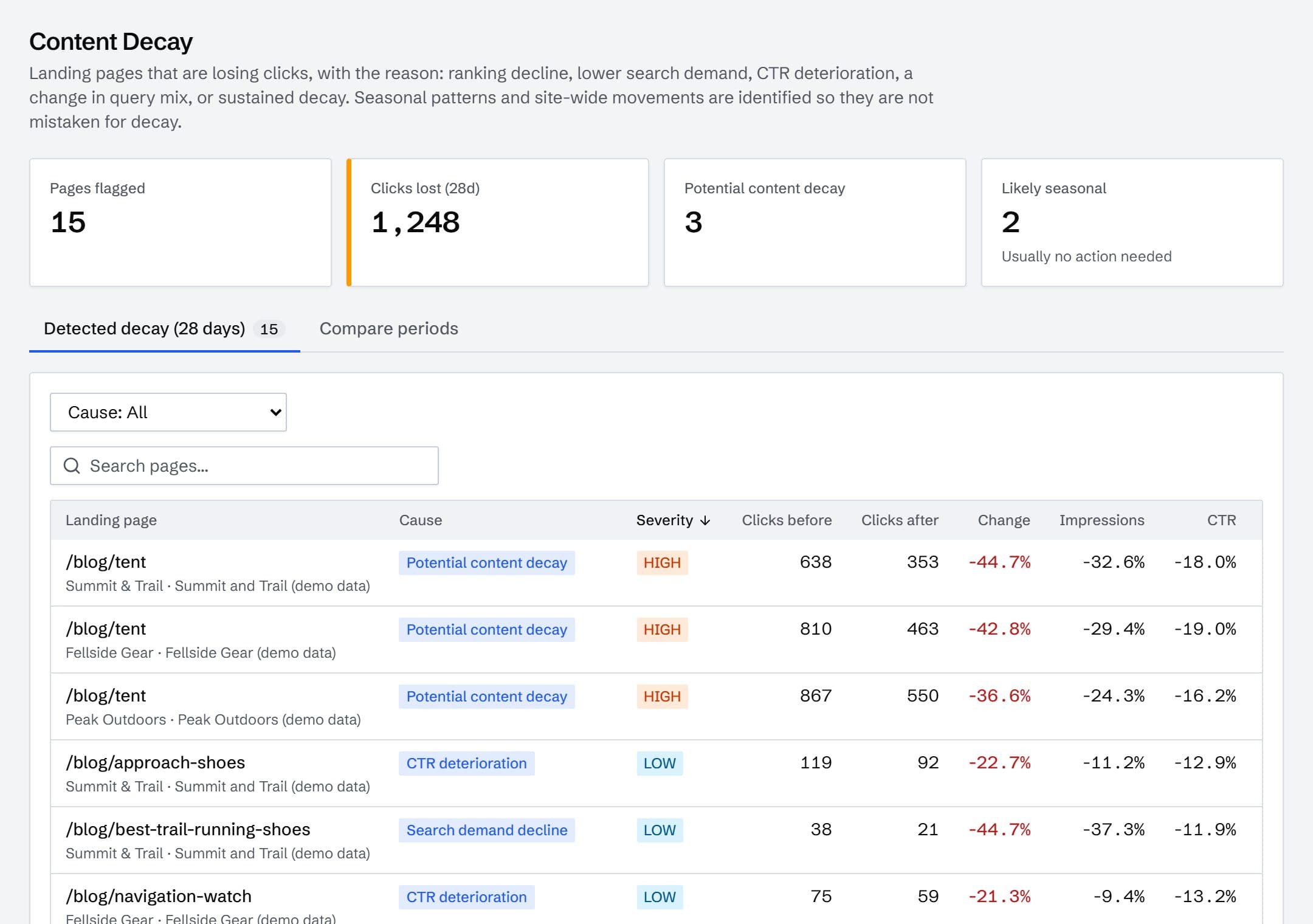 Content DecayOlder pages lose traffic slowly. Rankwell finds them and separates genuine decay from seasonality and falling demand.
Start tracking SEO changes
Start a 14-day free trial. No card required. Try it with demo data, or connect Google Search Console and see your own.
Start free trial